Series links:
- Part 1/5 – Introduction (you are here)
- Part 2/5 – Database Planning
- Part 3/5 – AWS Setup
- Part 4/5 – Backend APIs
- Part 5/5 – Frontend
What
A small, practical expense tracker you can run yourself. You pick a date, enter amount (Credit/Debit), add a category and description, attach bill photos or files, and submit. Later you can search by text/date and export a CSV for your accountant.
Why
- Keep all receipts and notes in one place with the transactions.
- Search quickly when you need proof or totals.
- Download a clean CSV and share it with your CA.
How
- The system has three pieces:
- Database (PostgreSQL) to store entries and attached documents.
- Backend (Java) with simple APIs to save, list/filter, autocomplete, and export.
- Frontend (static HTML + JS) with three screens: Login, Add Entry, Listing/Export.
- Typical flow (with screenshots):
Step 1 — Login
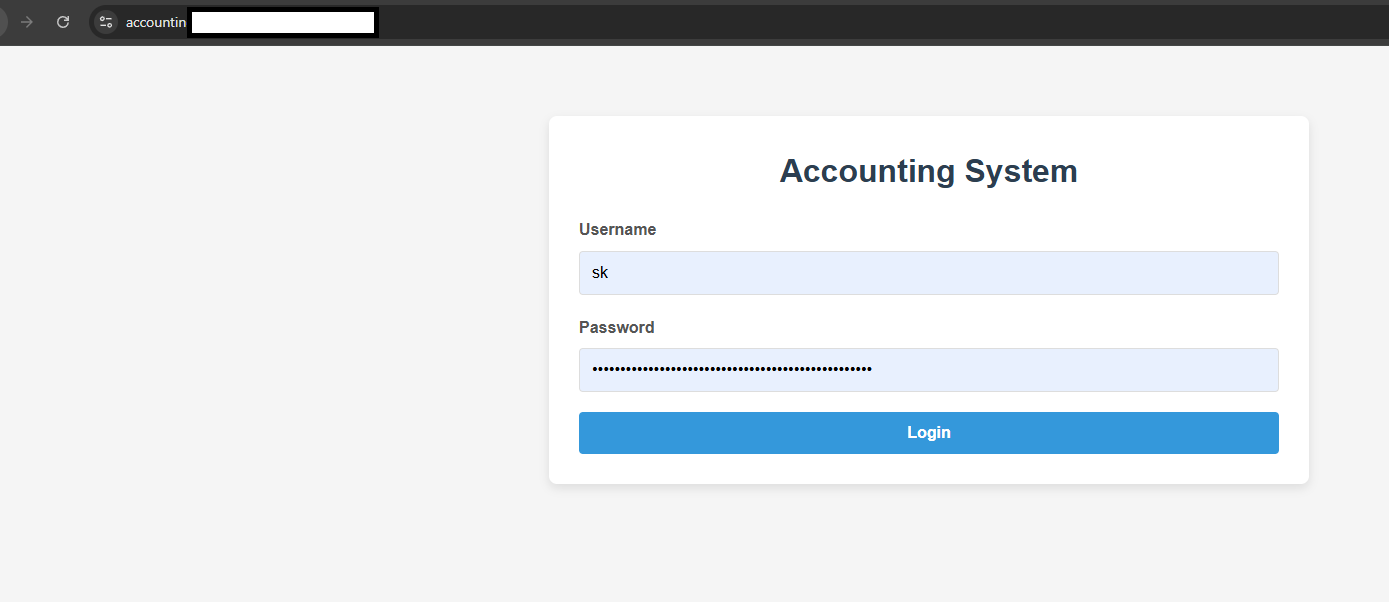
- Enter username and password, then click Login.
- The UI simply gates access; the backend still validates API calls.
Step 2 — Add an entry
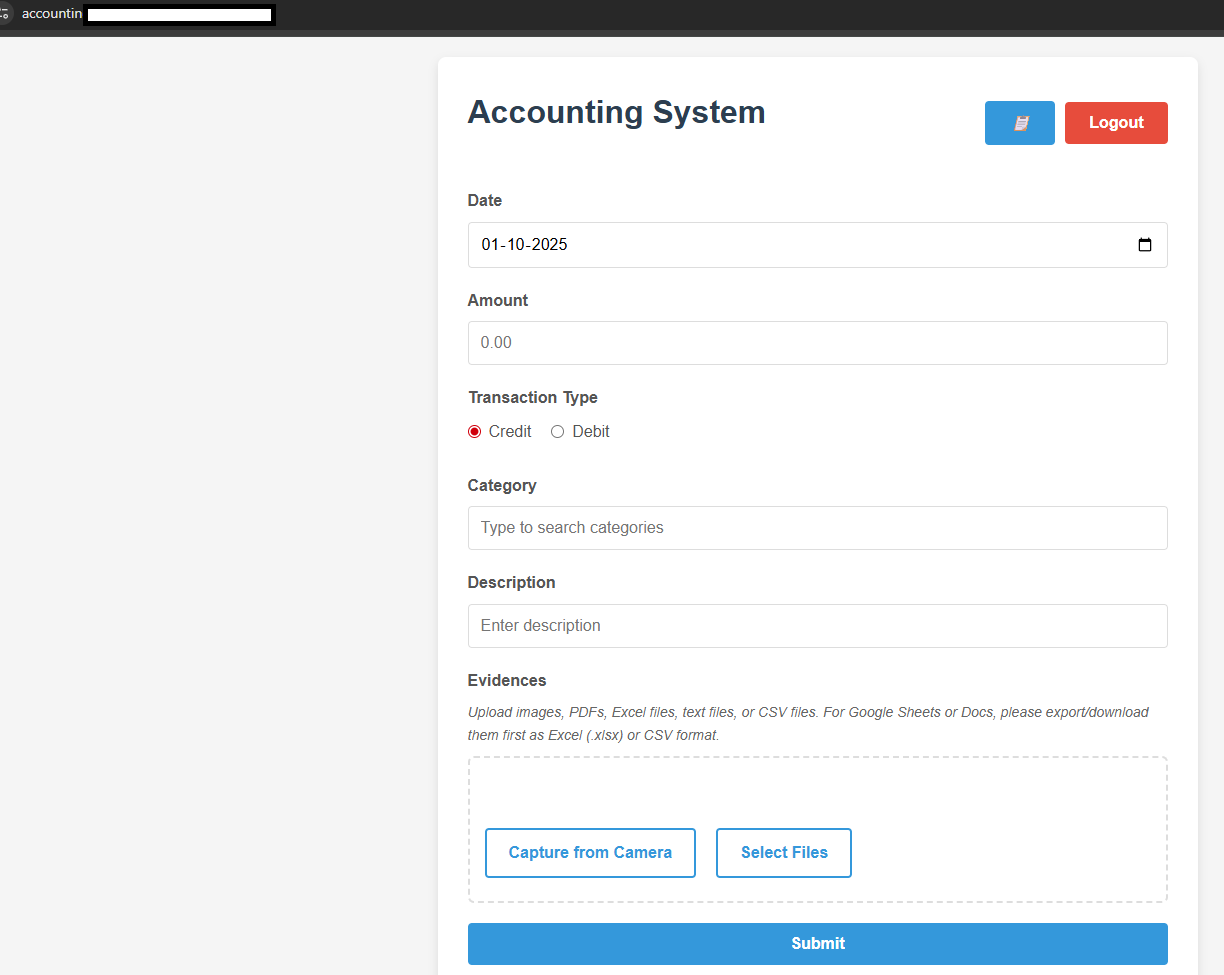
- Date: pick the transaction date.
- Amount: number with two decimals.
- Transaction type: select Credit or Debit.
- Category: start typing to see suggestions.
- Description: short note; suggestions appear as you type.
- Evidences: Capture from Camera or Select Files (images/PDF/CSV/Excel/text). You’ll see small thumbnails/icons for selected files.
- Submit: shows an upload progress bar; files are stored and the entry is saved.
Step 3 — Browse, filter, and export
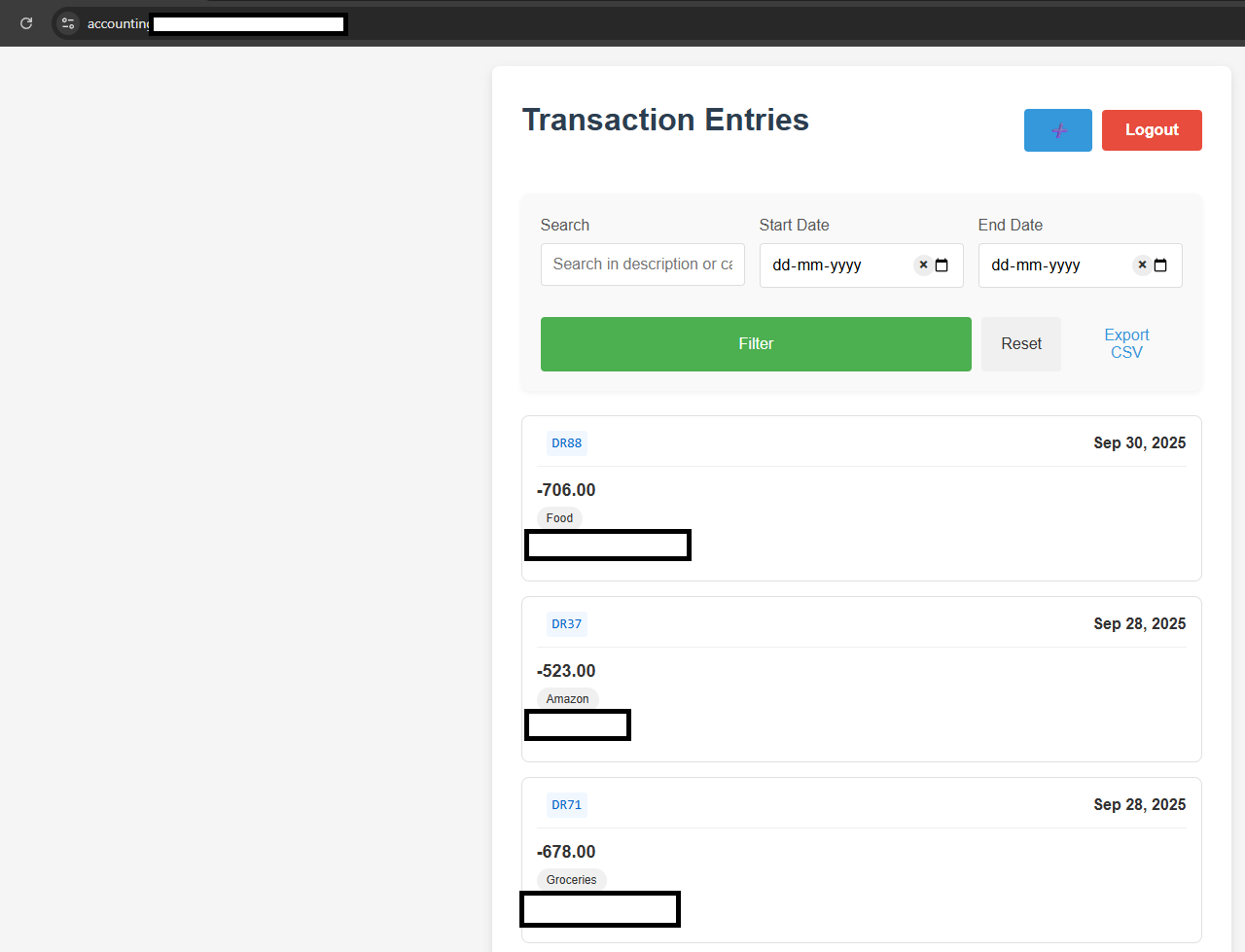
Search: type keywords that match category or description.
Date range: set start/end; use the little “x” to clear quickly.
Filter/Reset: refresh results or clear filters.
Open documents: click a document chip; it opens in a new tab.
Export CSV: downloads a spreadsheet of the current results.
Security: each API call includes a small request signature (HMAC) so the server knows the call is legitimate.
Thoughts / Caveats
- Start small; you can extend categories or analytics later.
- Keep original receipts safe; digital copies here act as convenient evidence.
- We’ll keep the setup simple and affordable; you can harden it as you grow.